Related Articles



Math homework can become difficult when a problem is confusing, lengthy, or written in a way that is hard to understand. In the past, students usually had to type the complete question into a calculator or ask someone for help. Today, things are much easier because several mobile apps can read math problems directly from a photo and provide a solution within seconds.
These apps are especially useful for students who want quick help with algebra, geometry, fractions, trigonometry, calculus, and other areas of mathematics. Instead of typing a long equation, you can simply open an app, point your phone camera at the question, and let the app recognize it.
However, not every math solver app works in the same way. Some are better for beginners, while others are more useful for advanced mathematics. Some focus mainly on step by step explanations, while others provide powerful calculators and graphs.
In this article, we will look at the best apps that solve math problems from photos and explain what makes each one useful.
What Are Math Solver Apps That Work From Photos?
Math solver apps that work from photos use camera technology and mathematical recognition systems to understand a question from an image. Instead of manually entering an equation, you take a picture of the problem.
The app reads the numbers, symbols, equations, and other mathematical information in the image. It then processes the problem and provides an answer. Many apps also explain the solution step by step.
This can save a lot of time, especially when working with worksheets containing complicated equations.
The best apps that solve math problems from photos are not only useful for getting an answer. They can also help students understand how a particular answer was reached.
1. Photomath
Photomath is one of the most popular choices for students looking for an app that can solve math problems from photos. Its main feature is simple. You open the app, point the camera toward a math problem, and scan it.
Photomath can recognize many different types of mathematics, including elementary mathematics, algebra, geometry, trigonometry, statistics, and calculus. The company also says that the app can work with word problems.
One of the biggest advantages of Photomath is its step by step approach. Instead of showing only the final answer, it can break the problem into smaller parts so students can follow the process.
For example, if you scan a linear equation, the app can show the mathematical operations used to isolate the variable. This makes it more useful for learning than a normal calculator.
Photomath also allows users to edit a scanned problem if the camera does not recognize something correctly. Good lighting and a clear image can make scanning more accurate.
The basic functionality includes machine generated solution steps without requiring payment, while additional learning features are available through Photomath Plus.
For students who want a simple camera based math solver, Photomath is one of the first apps worth trying.
2. Symbolab
Symbolab is another strong option for students who want to solve math problems from photos. The platform supports photo based input along with typed and other forms of mathematical input.
Symbolab is particularly useful for students studying more advanced mathematics. It covers areas such as algebra, calculus, trigonometry, matrices, derivatives, integrals, limits, equations, inequalities, and many other topics.
The app includes a large collection of calculators designed for specific mathematical tasks. This makes Symbolab more than a simple photo solver.
One of the strongest features of Symbolab is its focus on showing the process. The platform explains mathematical problems step by step instead of focusing only on the final result.
This can be useful for college students who need help understanding calculus or other advanced subjects.
Symbolab also provides graphing tools, practice features, worksheets, and other learning resources. Its official website says the platform has more than 300 million users worldwide.
If your math homework goes beyond basic equations, Symbolab is worth considering.
3. Microsoft Math Solver
Microsoft Math Solver has been another well known option for students who want help with mathematical problems. It supports different ways of entering problems, including taking a photo of a mathematical question.
Microsoft’s Math Solver guide describes support for arithmetic, algebra, trigonometry, calculus, statistics, and other mathematical topics. It also explains that users can scan printed or handwritten problems and receive step by step guidance.
One useful feature is graphing. Students can use mathematical equations to create graphs and better understand relationships between variables.
This is particularly helpful when studying functions and equations because seeing a graph can sometimes make a difficult concept much easier to understand.
Microsoft also provides mathematical assistance through its education tools. Math Assistant in OneNote can help solve problems and provide step by step guidance.
For students who already use Microsoft education products, these tools can be a convenient part of their study routine.
4. Mathway
Mathway is another popular mathematical problem solving service. It is designed to help users with a wide range of mathematical questions.
The service is useful for subjects such as basic mathematics, algebra, trigonometry, statistics, and calculus. Students can enter problems and receive solutions without having to perform every calculation manually.
One reason people use Mathway is convenience. When you have a long equation that would take several minutes to type into a normal calculator, a photo based input method can make the process much faster.
However, students should always pay attention to the explanation rather than simply copying the final answer. The purpose of a math solver should be to help you understand the process.
Mathway can be particularly helpful when checking your work after solving a problem yourself.
5. Gauth
Gauth is a newer style of homework assistance app that uses artificial intelligence to help students with academic questions. It is designed for more than mathematics, which can make it useful if you regularly study several subjects.
For math questions, students can use image based input to share a problem and receive help.
The major advantage of this type of app is that it can provide assistance with questions that may not look like traditional equations. For example, students may encounter word problems where they first need to understand the information before performing mathematical calculations.
An AI based homework assistant can be useful in these situations because students can provide the complete question rather than manually converting everything into mathematical symbols.
Still, it is important to check the answer carefully. Artificial intelligence tools can sometimes misunderstand an image or interpret a question incorrectly.
6. Wolfram Alpha
Wolfram Alpha is different from many traditional camera based math apps. It is better known as a powerful computational knowledge engine, but it can still be extremely useful for students working with mathematics.
It is especially valuable for advanced mathematical subjects. Students studying calculus, algebra, statistics, equations, functions, and scientific mathematics can use it to investigate problems and calculations.
Wolfram Alpha is often more useful when you want to explore mathematical information rather than simply receive a quick homework answer.
For example, a student may want to understand how an equation behaves, examine a graph, compare mathematical results, or explore a complicated calculation.
It may not be the simplest choice for a young student who only wants to take a picture of a worksheet. However, for advanced learners, it can be a powerful resource.
7. Google Lens
Google Lens is not specifically a math solver app, but it can be useful when working with mathematical questions.
Google Lens can recognize information from images and help users search for related content. For students, this can be useful when they have a question in a textbook or worksheet and want to find explanations or related resources online.
It is important to understand the difference between an image recognition tool and a dedicated math solver.
A dedicated application such as Photomath is designed specifically around mathematical problem solving. Google Lens is more general purpose.
For this reason, students who regularly need mathematical solutions may prefer a dedicated math app.
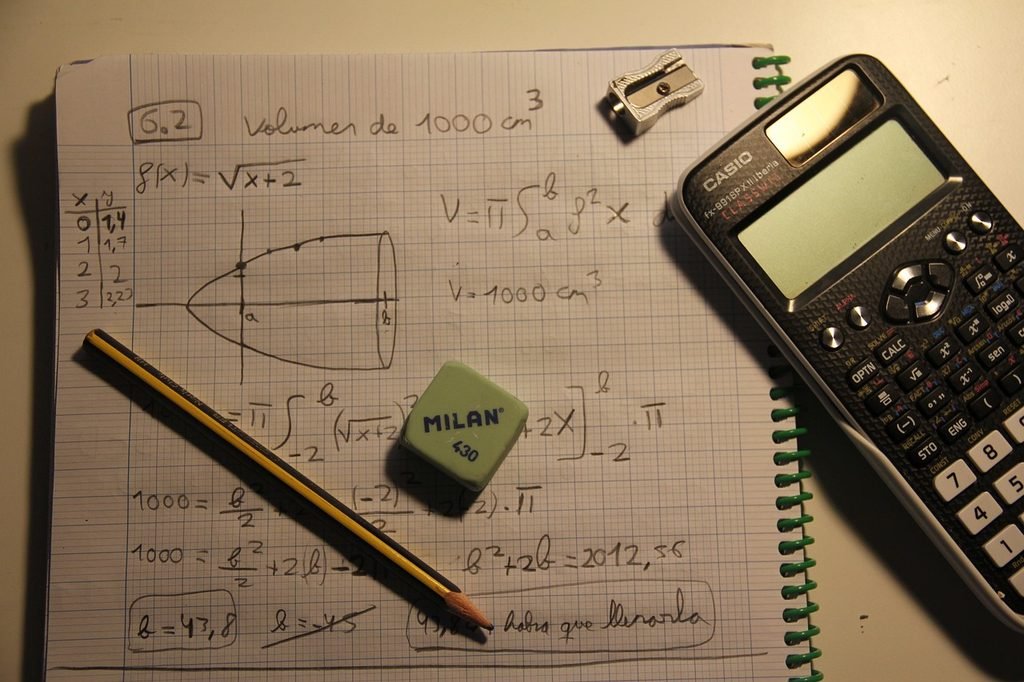
How Do Apps Solve Math Problems From Photos?
The process is surprisingly simple from a student’s point of view.
First, the camera captures an image of the mathematical problem. The app then analyzes the image and tries to identify the numbers, symbols, equations, and other information.
After recognizing the problem, the mathematical system determines what type of question it is. It may identify the problem as an algebra equation, fraction calculation, derivative, integral, geometry question, or another type of mathematical task.
The app then applies the appropriate mathematical method and displays the result.
Some applications can also provide several possible methods. Photomath, for example, says that some problems can have multiple solving methods.
This is useful because mathematics is not always about finding one answer. Understanding different methods can help students become better problem solvers.
How to Take a Good Photo of a Math Problem
The quality of the photo can affect how well a math solver understands the question.
Try to keep the camera steady when taking the picture. Make sure the equation is clearly visible and avoid taking a blurry image.
Good lighting is also important. If the page is too dark, the app may have difficulty recognizing symbols.
It is also better to focus on one problem at a time. Photomath recommends making sure the problem is inside the scanning area and that all important information is included.
Handwritten problems can sometimes be harder to recognize than printed questions. If the handwriting is unclear, try taking another photograph from a better angle.
You should also check the scanned equation before accepting the solution. A small mistake in recognizing a number or mathematical symbol can completely change the answer.
Which Math Photo Solver Is Best for Students?
The best app depends on what you need.
If you want a simple camera based experience, Photomath is an excellent choice. Its focus on scanning and step by step explanations makes it suitable for everyday homework.
If you are studying advanced mathematics, Symbolab can be a better option because it offers many specialized calculators and supports subjects such as calculus, matrices, derivatives, and integrals.
Microsoft Math Solver is useful for students who want mathematical explanations, graphs, and different input methods.
Mathway can be useful when you need quick assistance across many mathematical subjects.
Wolfram Alpha is better suited to students who want deeper mathematical calculations and analysis.
There is no single app that is perfect for every student. The best choice depends on your grade level, subject, and the type of questions you normally solve.
Are Math Solver Apps Accurate?
Math solver apps can be very helpful, but students should not assume that every answer is automatically correct.
There are several reasons why an app might produce an unexpected result. The camera may misunderstand a symbol. A handwritten number may be unclear. A problem may contain information outside the camera frame. The app may also interpret a word problem differently from what the student intended.
Photomath itself explains that some problems can remain unsolved and recommends making sure the image is clear and contains all relevant information.
The safest approach is to use these apps as learning and checking tools.
If you solve a question yourself first, you can then use the app to compare your answer. If your answer is different, look at the steps and find where your method changed.
This approach can help you learn much more than simply copying an answer.
Benefits of Using Math Solver Apps
One major benefit is speed. A student can scan a difficult equation within seconds instead of typing it manually.
Another advantage is convenience. A phone is usually easier to carry than a textbook or calculator, so students can access help almost anywhere.
Step by step explanations are also valuable. When a student understands the process, it becomes easier to solve a similar problem without assistance later.
These apps can also help students identify mistakes. If you solve a problem and receive a different result, checking the solution can help you find an error in your calculation.
Parents can also find these tools useful when helping children with homework. Sometimes parents understand basic mathematics but may not remember the exact method taught in school. A step by step solver can provide a useful reference.
How to Use Math Solver Apps Properly
The best way to use these apps is as a study assistant rather than an answer machine.
Try solving the question yourself before scanning it. Even if you are not sure about the answer, write down what you think the first step should be.
Then use the app to check your work.
If your answer is wrong, study the explanation carefully. Ask yourself where your calculation changed from the app’s method.
You can also scan a similar question after learning the method and try solving it without assistance.
This creates a useful learning cycle. First you attempt the problem, then you check the solution, and finally you practice the same method again.
Photomath’s own educational guidance recommends using the technology to support mathematical thinking rather than replacing it.
Final Thoughts
The best apps that solve math problems from photos can make studying mathematics much easier. Instead of spending several minutes typing a complicated equation, students can simply take a picture and receive help.
Photomath is one of the strongest choices for straightforward camera scanning and step by step learning. Symbolab is particularly useful for students dealing with advanced mathematics. Microsoft Math Solver provides useful mathematical assistance and graphing features, while Mathway and Wolfram Alpha can help with a wide range of calculations.
The most important thing is how you use these apps.
A math solver should not replace your own thinking. It should help you understand difficult questions, check your calculations, and learn methods that you can use again.
When used properly, these apps can turn a frustrating homework problem into an opportunity to learn something new. Instead of simply asking an app for the answer, take time to understand each step. That is what can make a math solver genuinely useful for your education.