Related Articles



Geometry can be one of the most interesting parts of mathematics, but it can also become confusing when questions involve angles, triangles, circles, areas, volumes, or complicated diagrams. Many students understand the basic formulas but still struggle when they have to decide which formula to use or how to solve a problem step by step.
Fortunately, several useful apps can make geometry practice easier. These apps can help students understand difficult questions, check their calculations, learn formulas, and sometimes get step by step explanations. They are especially useful when a student is studying alone and does not have a teacher available at that moment.
In this guide, I will discuss some of the best apps for solving geometry questions, what each app can do, how students can use them, and what type of geometry problems they are most helpful for.
Why Use Apps for Geometry Questions?
Geometry is not only about memorizing formulas. You also need to understand relationships between different shapes, angles, lines, and measurements. A small mistake in reading a diagram can sometimes lead to a completely wrong answer.
A good geometry solver app can make the learning process easier by showing how a problem is approached. Some apps allow students to type a question, while others can recognize a problem from a photo.
These apps can be useful for questions involving:
Triangles
Quadrilaterals
Circles
Angles
Parallel lines
Perimeters
Areas
Surface areas
Volumes
Coordinate geometry
Trigonometry
Geometric proofs
The best approach is not to use an app simply to copy an answer. Instead, students should study the explanation and understand why the answer is correct.
1. Photomath
Photomath is one of the most popular math solving apps available today. It is particularly useful for students who prefer taking a picture of a question instead of typing it manually.
The app can recognize mathematical expressions from a textbook, notebook, or worksheet. Depending on the problem, it can provide explanations and steps that help students understand the solution.
For geometry questions, Photomath can be useful when the problem includes calculations involving angles, lengths, areas, or other mathematical expressions.
One of the biggest advantages of Photomath is its simple interface. A student can point the phone camera toward a question and see the available solution.
It can be especially helpful for checking homework. For example, if you calculate the area of a triangle and get an answer that seems incorrect, you can use the app to check your work.
However, students should remember that geometry often depends on diagrams. An app may solve the numerical part of a problem but may not replace the reasoning required for a complete geometry solution.
2. Symbolab
Symbolab is another powerful mathematics app and online solver. It is known for providing detailed solutions to many types of mathematical problems.
Students can use Symbolab for algebra, trigonometry, calculus, and various geometry related calculations.
For geometry students, it can be useful when a question contains equations, coordinates, trigonometric relationships, or measurements that need mathematical calculations.
One useful feature is its step by step approach. Instead of only showing the final answer, Symbolab can explain the mathematical process.
This can help students identify where they made a mistake.
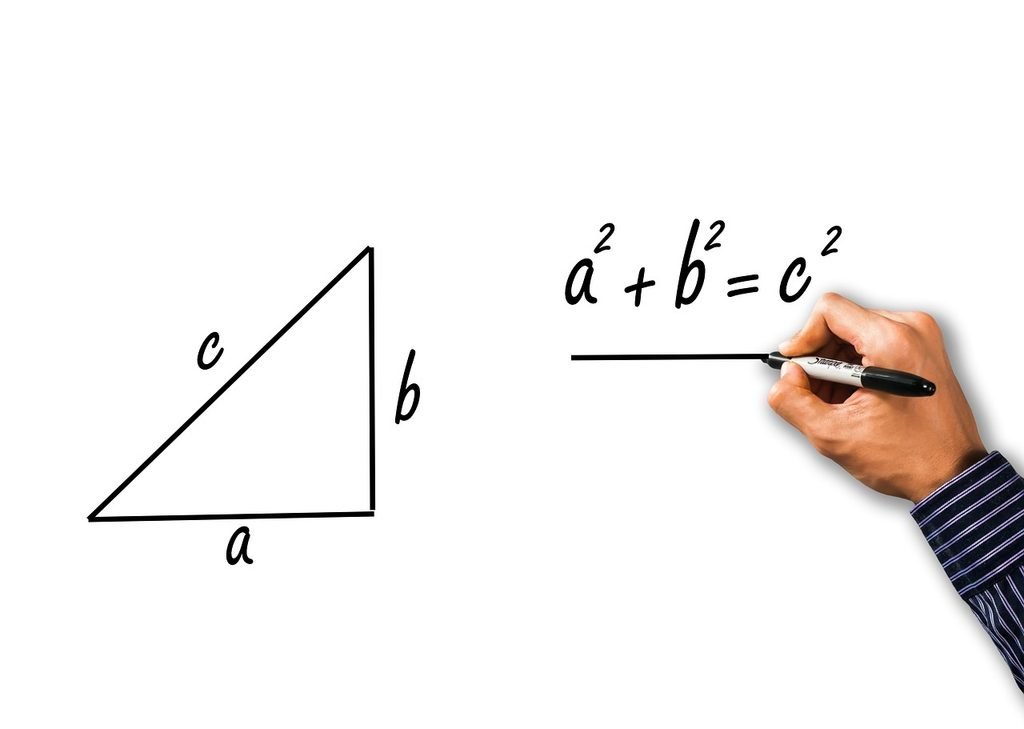
For example, imagine a geometry problem where you need to find the missing side of a triangle. If the problem requires the Pythagorean theorem, the app can help with the calculation and show the mathematical steps.
Symbolab is therefore a good choice for students who want more than just an answer.
3. GeoGebra
GeoGebra is one of the most useful tools for learning geometry because it focuses heavily on visual mathematics.
Unlike a traditional calculator app, GeoGebra allows users to create and explore geometric constructions. You can work with points, lines, circles, angles, triangles, polygons, and many other objects.
This makes it particularly useful for understanding geometry concepts.
For example, if you are learning about the angles of a triangle, you can create a triangle and move its points. You can then observe how the angles and side lengths change.
This type of visual learning can make difficult concepts easier to understand.
GeoGebra is also helpful for coordinate geometry. Students can plot points on a coordinate plane, create lines, investigate intersections, and explore mathematical relationships.
For students who learn better by seeing things rather than simply reading formulas, GeoGebra can be an excellent choice.
4. Mathway
Mathway is another well known math solving tool that can help students with different levels of mathematics.
The app allows users to enter questions and receive solutions. It supports several areas of mathematics, including basic mathematics, algebra, trigonometry, statistics, and calculus.
Geometry questions often contain calculations that overlap with these subjects. For example, finding an unknown angle may require trigonometry, while coordinate geometry may involve algebra.
Mathway can therefore be useful when a geometry question becomes more mathematical than visual.
One of its useful features is the ability to enter problems using a mobile device. This can save time when students are working through multiple practice questions.
As with other solving apps, students should focus on understanding the method instead of simply copying the final answer.
5. Cymath
Cymath is designed to provide mathematical solutions in a straightforward way. It can be useful for students who want quick help with calculations and equations.
Although it is not exclusively a geometry app, it can support many geometry problems that require algebra or trigonometry.
For example, suppose you know the perimeter of a shape and need to find an unknown side. You may need to create and solve an equation before finding the geometry answer.
Cymath can help with this mathematical part of the problem.
The simple interface can also make it easier for beginners who do not want to use an overly complicated application.
6. Microsoft Math Solver
Microsoft Math Solver has been designed to help students solve mathematical problems using different input methods.
Users can type equations or enter problems using other supported methods. The tool can provide explanations and related learning resources.
For geometry students, Microsoft Math Solver can be helpful when questions involve equations, coordinates, angles, or calculations.
One benefit is that it can connect a mathematical question with explanations that make the solution easier to follow.
Students can use it as a learning companion while practicing difficult problems.
For example, if you are working on a geometry worksheet and do not understand how an equation was created from the given information, using a solver can help you examine the mathematical steps.
7. Camera Math
Camera based mathematics apps have become increasingly popular because they allow students to scan questions instead of entering them manually.
Camera Math is designed around this idea. Students can take a picture of a mathematical problem and receive assistance with solving it.
This can be useful for geometry homework when questions contain equations or calculations that would be difficult to type.
The main advantage is convenience. Instead of spending several minutes entering a complicated expression, you can use the camera to capture it.
However, students should always check whether the app correctly understands the question. Poor lighting, unclear handwriting, or complicated diagrams can sometimes make image recognition less reliable.
8. Socratic
Socratic is a learning focused tool that can help students explore questions across different subjects.
It can be useful when students are not simply looking for a numerical answer but want additional explanations and learning material.
For geometry, students may use it to explore concepts such as the Pythagorean theorem, properties of triangles, circles, angles, and other mathematical topics.
This makes Socratic useful for students who want to understand the idea behind a question.
For example, if you do not understand what the term complementary angles means, you can use a learning app to study the concept before attempting related questions.
This approach can be more beneficial than immediately searching for the final answer.
9. Wolfram Alpha
Wolfram Alpha is a powerful computational knowledge tool that can handle many advanced mathematical calculations.
It is particularly useful for students who are studying higher level mathematics and encounter geometry questions involving algebra, trigonometry, coordinates, or formulas.
For example, coordinate geometry problems may require calculations involving distances, slopes, equations of lines, or intersections. Wolfram Alpha can be useful for these types of mathematical tasks.
It is more advanced than some beginner focused math apps, so new students may need some time to understand how to enter questions correctly.
Still, for advanced learners, it can be a valuable resource.
10. Khan Academy
Khan Academy is slightly different from a traditional math solver app because its main purpose is education rather than simply giving answers.
It offers lessons, explanations, exercises, and practice activities covering many areas of mathematics.
For geometry students, this can be particularly useful because understanding the basic concept is often more important than finding one answer.
If you are struggling with triangle properties, angles, area, circles, or coordinate geometry, learning the concept first can make future questions much easier.
Khan Academy can therefore be a good choice for students who want to improve their overall geometry skills rather than solve only one difficult homework problem.
How to Choose the Best Geometry Solver App
With so many options available, choosing the right app can feel difficult. The best choice depends on what you actually need.
If you want to scan questions from a textbook, a camera based app may be the most convenient.
If you want step by step mathematical calculations, Symbolab or Photomath may be useful.
If you want to explore geometric shapes visually, GeoGebra is an excellent option.
If you want lessons and practice instead of only answers, Khan Academy can be a better choice.
Advanced students may prefer a powerful computational tool such as Wolfram Alpha.
There is no single app that is perfect for every geometry question. Different apps are useful for different situations.
How to Use Geometry Apps Properly
A geometry solver should be treated as a learning tool rather than a shortcut.
When you receive an answer, first try to understand the method.
Ask yourself why a particular formula was used.
Look at the information given in the question.
Check how the diagram relates to the calculation.
Then try solving a similar problem without using the app.
For example, if an app tells you that the area of a triangle is 30 square units, do not stop there. Check whether the formula was correctly applied.
The formula for the area of a triangle is:
Area = 1/2 × base × height
Understanding this formula will help you solve many future questions without depending on an app.
Benefits of Using Geometry Apps
There are several advantages to using these tools correctly.
Faster Problem Checking
Students can quickly check whether their calculations are correct.
Step by Step Learning
Some apps provide explanations that show how a solution was reached.
Visual Understanding
Tools such as GeoGebra can make abstract geometry concepts easier to see.
Convenient Homework Help
Students can get assistance when a teacher or tutor is not immediately available.
Better Practice
Students can solve problems independently and then use an app to check their work.
Limitations of Geometry Solver Apps
Even the best geometry apps have limitations.
A solver may misunderstand a blurry photograph or handwritten question. Some geometry problems also require logical reasoning that cannot be reduced to a simple calculation.
Geometry proofs are a good example. A student may need to explain why two triangles are congruent or why certain angles are equal. Knowing the final answer is not enough.
Some apps may also place advanced features behind a paid subscription.
Another important issue is overdependence. If students use an app for every question, they may become less confident in solving problems independently.
The best strategy is to use technology as support while continuing to practice mathematics yourself.
Final Thoughts
The best apps for solving geometry questions can make mathematics easier, faster, and more understandable. Photomath, Symbolab, GeoGebra, Mathway, Cymath, Microsoft Math Solver, Camera Math, Socratic, Wolfram Alpha, and Khan Academy can each be useful in different ways.
If you mainly need help checking calculations, a mathematical solver can be convenient. If you want to understand shapes and geometric relationships visually, GeoGebra is especially useful. If your goal is to improve your knowledge through lessons and practice, Khan Academy may be a better option.
The most important thing is how you use these apps. Do not use them only to copy answers. Use them to understand formulas, identify mistakes, and learn the steps involved in solving a problem.
Geometry becomes much easier when you understand the reasoning behind each solution. With regular practice and the right learning tools, students can become more confident in solving geometry questions on their own.